Peren documentation
Deploy and roll back
Record a service generation digest, verify it against files on disk, and flip the active record.
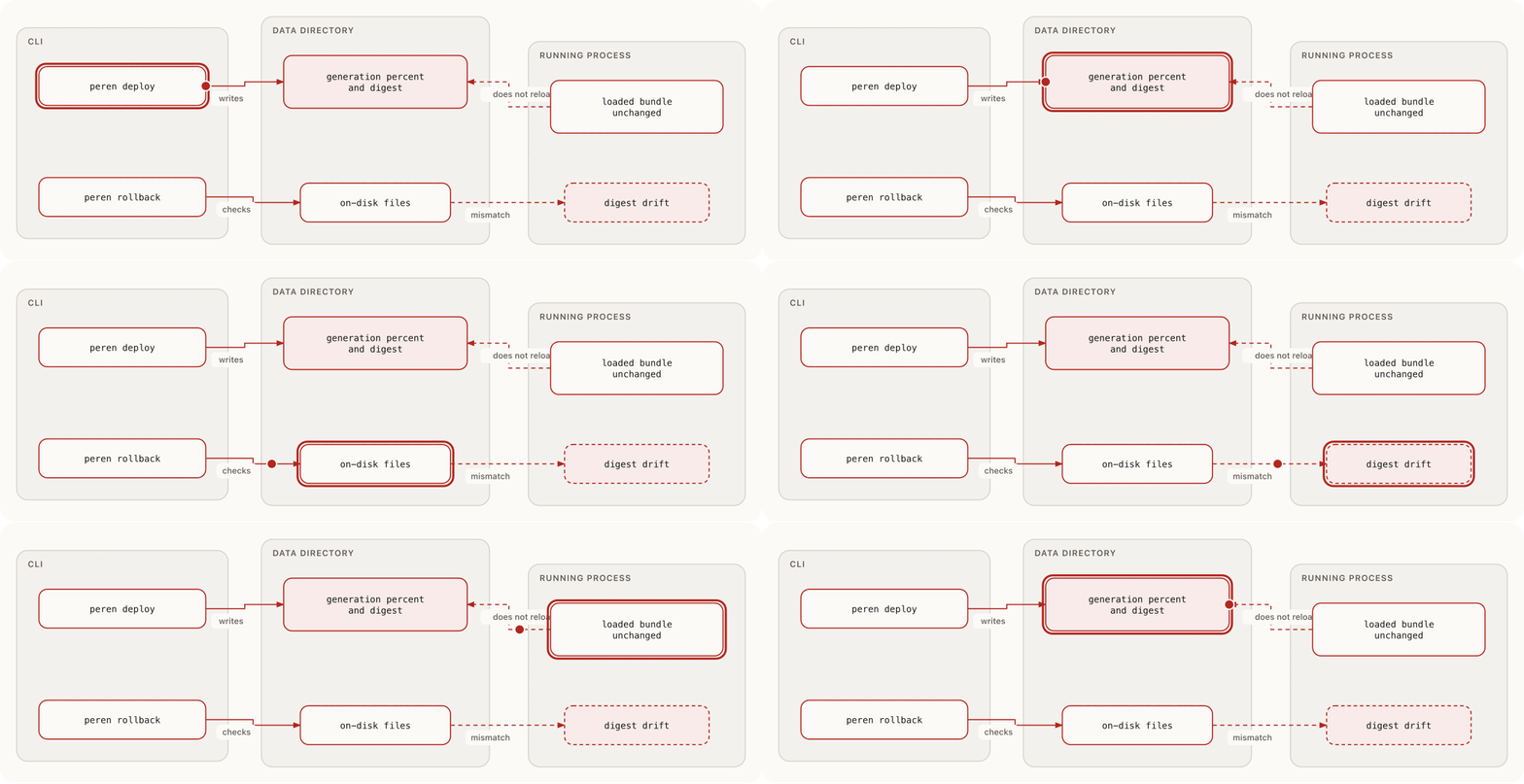
Record a deployment generation so the operator can verify, list, and roll back against digests that still match the Worker files on disk. The running process keeps serving the bundles it loaded at start.
Deploy and rollback
Record a generation
peren deploy peren.toml --percent 100Defaults: --percent is 100 (range 0–100). Pass --preview to record a non-active generation with percent 0.
The command loads each service bundle from the fleet config, computes digests, and writes generations under the data directory. Representative output:
deployed api <digest> preview=false percent=100 maps=0The percentage is stored on the generation record. A generation is marked active when it is not a preview and percent is greater than zero. The percentage does not split traffic across generations. The running process does not reload bundles from this command.
--skip-verify is accepted and does not change the command.
Verify and health
peren deploy verify peren.toml --service api
peren deploy health peren.toml --service api
peren deploy list peren.toml --service api
Verify fails when the active generation digest, source-map digest, or descriptor does not match the files currently on disk. Health fails when there is no active generation, more than one active generation, an active preview, or the same drift conditions.
Roll back
Rollback flips which recorded digest is active. It does not restore old Worker bytes onto disk. The files on disk must already match the target digest, or the command refuses with a drift error.
peren rollback peren.toml --service api
peren rollback peren.toml --service api --to <digest>
Without --to, Peren selects the newest inactive generation for that service. After a successful rollback, restart the node if the process must serve the files that match the newly active digest.
--skip-verify is accepted and does not change the command.
Prune history
peren deploy prune peren.toml --service api --keep 5 --dry-run
peren deploy prune peren.toml --service api --keep 5
Prune removes inactive generations beyond --keep. Active generations are retained. Run --dry-run before the mutating form.
Failure cases
| Symptom | Cause | Next action |
|---|---|---|
| Digest drift on verify, health, or rollback | Files on disk changed since the generation was recorded | Restore matching files, or record a new generation |
| No inactive generation to roll back to | Only one generation exists, or none are inactive | Deploy another generation before rollback |
| No active deployment generation | No generation with active=true |
Record a non-preview deploy with percent greater than zero |
Related: Deployment overview, Upgrade planning, Operations overview.